IaaS, PaaS and SaaS describe how much of a computing service the provider operates and how much you operate. They are useful starting points for assigning responsibility, not guarantees about cost, security, simplicity or suitability for a company of a particular size.
Reviewed 16 October 2026: corrected claims that SaaS handles all security and backups, PaaS automatically scales every application, and IaaS is always cheaper per unit or easier to leave. Removed unverified price ranges and business-size prescriptions.
The three cloud service models
NIST SP 800-145 defines the three service models by the capabilities offered and the customer’s control. In plain language:
| Model | What you obtain | A familiar example |
|---|---|---|
| IaaS | Computing resources on which you deploy operating systems and software | A cloud virtual machine |
| PaaS | An application platform on which you deploy supported code | A managed application runtime |
| SaaS | An application operated by the provider | Hosted email or a CRM |
A provider can offer all three. “Using AWS” or “using Azure” does not tell you which model or support boundary applies to a particular service.
SaaS: use an application
You use an existing application rather than operate its underlying servers. Email, accounting and customer-management applications are common examples. Check whether the product actually supports your workflow, access requirements, integrations and data export needs.
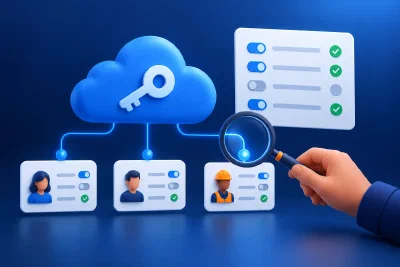
The customer still needs to manage appropriate identities, settings and data use. Microsoft’s shared responsibility guidance retains customer responsibilities for data, configuration and access across cloud service models. A SaaS subscription is not a promise that every deletion, account compromise or retention need is covered.
Ask what recovery and export features are included, who can use them, what history is retained and what changes after cancellation. Review additional backup or archive requirements against the service you actually buy.
PaaS: deploy your application
A platform can operate infrastructure and runtime components while your team supplies application code and configuration. Azure App Service is one example in Microsoft’s service-model description.
Your team still needs to maintain application dependencies, manage secrets and permissions, investigate application errors and validate recovery. Runtime support, automatic scaling, networking and databases vary by service and plan. A platform’s scaling feature also needs an application and configuration that can use it safely.
Evaluate supported languages and versions, background jobs, storage behavior, execution limits, deployment options and data export. A convenient platform can be a good choice even when it creates migration work later, provided you understand that trade-off.
IaaS: operate more of the stack
A virtual machine service provides infrastructure while you run the guest operating system and installed software. Azure Virtual Machines is an IaaS example. The boundary leaves OS and application management with the customer unless a separate managed service takes on that work.
IaaS can suit software with particular OS, network or configuration requirements. It can also suit a team with an established operating process. You can employ that capability internally or contract it, but it needs a named owner and a budget.
An IaaS VM does not inherently mean dedicated physical hardware, unlimited customization, a compliant configuration or an easy exit. Verify the actual service, licensing, storage and network constraints. Our IaaS provider comparison helps frame the next evaluation.
Compare responsibilities and costs
Ask for an explicit owner for each task:
| Task | Question to ask |
|---|---|
| Identity | Who grants access, reviews permissions and removes departing users? |
| Updates | Which layers does the provider patch and which remain ours? |
| Backups | What can we restore, to which points, through which procedure? |
| Availability | What is covered by the SLA, and what remains an application dependency? |
| Operations | Who receives alerts and performs out-of-hours recovery? |
| Exit | Can we export usable data, code, configuration and identity records? |
There is no universal cheapest model. Compare subscriptions, licences, usage, support, implementation and staff time over the same period and with equivalent requirements.
Illustrative arithmetic, not provider pricing: an assumed €10 monthly VM plus five hours of administration at an assumed €40 per hour is €10 + 5 × €40 = €210 per month before other services and tax. That does not prove a €50 SaaS subscription is equivalent. It shows why the hosting line alone is an incomplete comparison.
The cloud-cost guide explains how to document and check those assumptions. A forecast still needs to be compared with bills and actual operating time.
Public, private and hybrid describe another decision
Service models and deployment models are separate dimensions. Public cloud is available for use by the general public; private cloud is for exclusive organizational use. Private cloud may be operated by a third party and located off premises. A hybrid design connects distinct cloud environments. Those distinctions come from NIST’s definition.
A virtual private network inside a public cloud is not automatically a private cloud deployment. Nor does selecting a deployment model prove security or regulatory compliance. See the public versus private cloud guide for the cost, isolation and evidence questions.
Choose against a concrete requirement
For an existing business workflow, first test whether available software meets it. For a custom application, compare suitable platforms with an infrastructure design. Include requirements that could rule an option out, such as unsupported software, recovery limits, export needs or contractual restrictions.
A small team may reasonably choose IaaS with competent outsourced operations. A large technical team may reasonably choose SaaS. Team size alone does not decide the answer.
Avoid these comparison mistakes
Do not compare a single VM with a complete hosted product, assume every managed feature is enabled, or score exit difficulty from the model name alone. Test a representative export and recovery path. Include the cost and disruption of changing providers, rather than treating portability as either perfect or impossible.
Questions for your technical team
Ask what requirement justifies the recommendation, who will operate every layer, what evidence supports the cost model and how you could leave. Then check the proposal against that answer.
If a platform recommendation includes Docker or Kubernetes, read the containerization explanation. If it requires moving an existing service, use the migration checklist and review the destination architecture before approving the move.