Part of: AI agents vs workflows: let AI read, let code decide. This guide covers one part of that picture: what happens to company data when people use AI tools, and when it makes sense to run AI yourself.
Somewhere in your company today, someone pasted a customer list, a contract clause or a block of source code into an AI tool nobody approved. Most likely they meant well and wanted to finish faster.
That is shadow AI: staff using AI tools for work without the company’s knowledge or approval, usually on personal accounts. It is easy to miss, because it bypasses purchasing and access reviews, and it now shows up in breach statistics. This guide covers what the evidence says, where pasted data actually goes, and how to decide which work belongs on a subscription and which belongs on a platform you run yourself.
TL;DR:
- In a 2024 survey, three in four knowledge workers used AI at work and most of them brought their own tools. Check which tools your staff use, and whether those uses are approved.
- In IBM’s 2025 breach study, one in five breached organisations reported a breach involving shadow AI. Those with high levels of it had average breach costs $670,000 higher than those with little or none.
- A business plan with clear data terms covers much of the ordinary work. Data your contracts or rules keep in-house needs a different answer.
- Per-seat AI licences grow with every person. A platform you own grows in steps, one server at a time. In our worked example, the break-even falls somewhere between about 130 and 450 paid seats, depending mostly on staffing.
- Start with a short survey and a three-level data rule. The five steps are at the end.
Who this is for: owners, managers and IT leads who suspect staff are using AI tools and want a sensible policy, not a panic.
How common is shadow AI?
Very common. The 2024 Work Trend Index from Microsoft and LinkedIn, a survey of 31,000 people in 31 countries, found that “75% of knowledge workers now use AI at work”. Among those users, 78% were bringing their own tools rather than using ones their employer provided.
It is a vendor survey and two years old, so treat the exact figures with care. Bringing your own tool is not always unapproved use, but it often happens outside IT’s view. People use tools that save them time, with or without a policy.
The best-known example is Samsung. In 2023 TechCrunch reported that “internal, sensitive data from Samsung was accidentally leaked to ChatGPT”, after which the company began “temporarily restricting the use of generative AI tools on company-owned devices”. A large company with a strong security team was caught out by its own engineers trying to work faster.
What it costs when it goes wrong
IBM’s Cost of a Data Breach Report 2025 was the first edition to measure shadow AI. Among the organisations it studied, all of which had suffered a breach:
- One in five reported a breach involving shadow AI, and “only 37% have policies to manage AI or detect shadow AI”.
- Organisations with high levels of shadow AI saw “an average of $670,000 in higher breach costs” than those with little or none.
- Incidents involving shadow AI exposed more personal data (65% of cases) and intellectual property (40%) than the average breach.
- “63% of breached organizations either don’t have an AI governance policy or are still developing a policy.”
For scale, the global average breach cost in the same study was $4.44 million.
The report also looked at breaches of AI systems themselves. 13% of organisations reported one, and of those, “97% report not having AI access controls in place”. That 97% applies to the breached group, not to every company, but the lesson carries over. Access control is the first thing to get right.
Where pasted data actually goes
When someone pastes text into an AI tool, three things decide what happens next: which plan they are on, what the vendor’s terms say, and which laws apply to the vendor.
Personal accounts and business plans are different products
Personal accounts are a common route for shadow AI, and their terms are written for individuals. Settings for training, history and retention vary by vendor and change often. Business plans are written for companies. Anthropic’s commercial terms say plainly that “Anthropic may not train models on Customer Content from Services.” Microsoft’s enterprise data protection page for Copilot says “Your data isn’t used to train foundation models.”
So the first and cheapest step is to move work onto a business plan with terms you have read, and make that plan easier to use than a personal account.
A deletion promise can be overridden
Even good terms have limits. In May 2025, during the New York Times copyright case against OpenAI, a US court ordered OpenAI to preserve chat logs so they could be examined, including logs that would otherwise have been deleted. According to OpenAI, the order covered ChatGPT Free, Plus, Pro and Team, and API use without a zero-retention agreement. Enterprise and Edu customers were not affected. So a business tier, Team, was caught too. The broad order ended in September 2025, but logs already saved stayed accessible and data from accounts flagged by the newspaper still had to be kept (Engadget, October 2025).
This says nothing special about one vendor. Any data you send to a third party is exposed to that party’s courts, contracts and incidents, as well as your own.
Transfers to the US rest on a framework that has fallen twice before
For EU companies, sending personal data to a US provider can rely on the EU-US Data Privacy Framework, if the provider is certified under it, or on another transfer tool such as standard contractual clauses. The EU General Court upheld it in September 2025 (Latombe v Commission, T-553/23). Its two predecessors were struck down by the EU Court of Justice, Safe Harbor in 2015 and Privacy Shield in 2020. The framework is valid today. Whether it will stay valid for the life of your next contract is a risk you should at least write down.
None of this means GDPR forbids cloud AI. It does not, as we explain in our private versus public cloud guide, and most companies should not buy private infrastructure for data a cloud service could handle under a proper contract. The question is which of your data is sensitive enough that you would rather it never left at all.
Three routes, chosen by the data
Instead of a yes or no on AI, write down which route each kind of data may take. Three levels are enough for most companies.
| Data | Examples | Route |
|---|---|---|
| Public | Marketing copy, published documentation, general research | Any approved business AI plan |
| Internal | Meeting notes, internal how-tos, draft emails without personal data | A business plan with single sign-on, no training on your data and known retention |
| Confidential | Customer and employee records, contracts, pricing, designs, source code, anything under NDA or sector rules | Only routes your contracts, data policy and the law allow. Where outside processing is ruled out, a platform you control, or no AI at all |
If the work you have in mind uses only public or approved internal information, a well-chosen subscription and a clear policy are the right answer, and you do not need us for that.
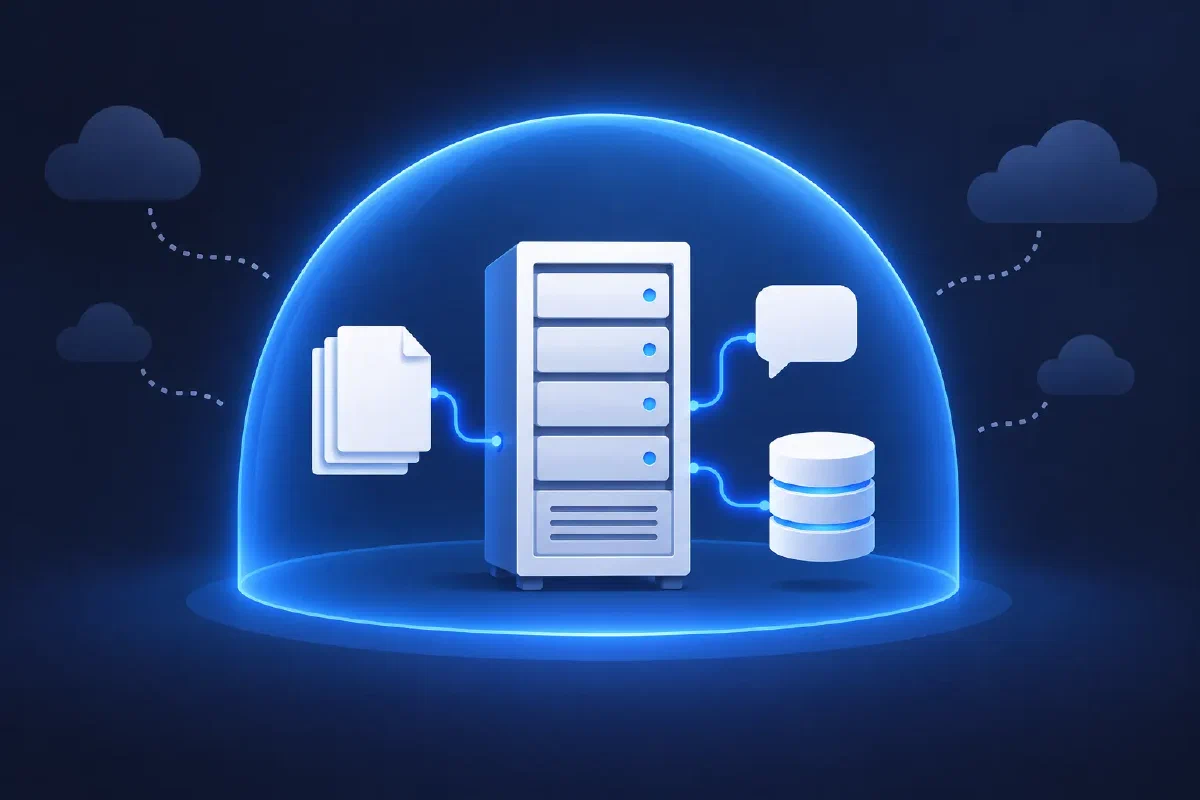
The third row, where outside processing is ruled out, is where a private AI platform earns its place. Models run on your own infrastructure, and prompts, answers and logs stay inside your network. People sign in with their normal company account, and the AI only sees what that person is already allowed to see. Every answer shows the data or the document passage it came from. It follows the same design rule as our AI agents vs workflows guide: the model interprets the question, and governed code checks permissions and fetches the data.
If you fall under NIS2, AI tools are also part of your supplier and access-control picture. Our NIS2 guide for smaller companies covers what that involves, and the security audit readiness check shows where your access control and logging stand today.
The cost question: seats or a platform
AI subscriptions are priced per seat. As of October 2026, Claude Team and the Microsoft 365 Copilot Business add-on list at $20 to $21 per person per month on annual billing. Claude Team is sold for up to 150 people and Copilot Business needs a Microsoft 365 business plan, so larger companies move to enterprise pricing, which is quoted and sometimes adds usage charges. Developers often need a separate coding assistant on top, such as GitHub Copilot at $19 to $39 per seat. Every new hire adds to the bill.
A platform you run has the opposite shape. Its cost is mostly the hardware and the people who look after it, and it stays roughly flat as usage grows.
Here is a rough annual model you can redo with your own numbers. It uses public list prices from 8 October 2026 and these assumptions:
- Seats at $20 a month as a floor for every size, converted at the ECB rate of the day (about €17.90).
- Hardware priced as a rented dedicated GPU server in the EU, because rental prices are public and easy to check. Hetzner lists a server with a 96 GB GPU at €1,499 a month, and a smaller one with the same GPU at €999, each with a setup fee equal to one month, which we spread over three years. This assumes renting from a hosting provider is acceptable for your data. If the data must stay on your premises, price your own hardware instead.
- Running it at €15,000 to €60,000 a year, our estimate for a quarter to half of one skilled person’s time.
- Server counts per company size are our assumption. Real sizing depends on how many people use it, for what, and which model passes your tests.
| Per year | 50 people | 200 people | 500 people |
|---|---|---|---|
| Subscription seats | about €10,700 | about €42,900 | about €107,300 |
| Platform hardware | €12,300 (one smaller server) | €18,500 (one server) | €37,000 (two servers) |
| Platform, including running it | €27,000 to €72,000 | €33,000 to €78,000 | €52,000 to €97,000 |
Three things stand out:
- At 50 people, the subscription is cheaper, whatever you assume. Below roughly 130 paid seats, owning the platform rarely pays on cost alone.
- Between about 130 and 450 seats, the answer depends mostly on how much staff time the platform needs, and on how many users one server really carries in your tests. That makes “who runs it, and how much work is that” the key question in any proposal.
- At around 500 seats the platform costs less to run in this model, even with the higher staffing estimate. The gap grows with headcount, and more so when coding assistants and usage charges are counted.
Count only the licences a platform would actually replace. If some people keep a subscription, their seats stay on the bill.
The table leaves out the one-off cost of building the platform: connecting your data and documents, single sign-on, testing and training. Spread that over three years before you compare. It also assumes open models that fit on one or two servers. Those are capable and improving fast, but for the hardest reasoning tasks the best public models are still ahead.
That is why a mix is often the sensible answer. Sensitive work runs on the private platform, and everything else stays on a subscription. Our TCO calculator compares hosting models rather than AI, but the same rent-or-own logic applies, and our guide to IaaS, PaaS and SaaS explains the trade-off in plain terms.
Five steps to bring shadow AI into the open
- Ask before you hunt. Run a short anonymous survey: which tools, for what tasks, and what would make the job easier. Promise that honest answers will not be punished, and keep that promise.
- Write the three-level data rule. Public, internal and confidential, with examples from your own business. One page, in plain language.
- Give people an approved route for the first two levels, with single sign-on and terms you have read. If it is harder to use than a personal account, people will keep using their personal accounts.
- Decide what happens to confidential data. Either it does not go into AI tools at all, or it goes into a platform you control. Write down which.
- Review every quarter. Tools, prices and terms change every few months. Check the vendor terms, the usage numbers and the survey answers again.
Next step
If the confidential row of that table is large for your company, or your seat count is heading into the hundreds, a private platform is worth a serious look. If neither is true, a good subscription and the five steps above will serve you better, and we will say so.
Discuss your AI platform. Free 30-minute call, no sales pitch, and an honest feasibility check.
Part of: AI agents vs workflows: let AI read, let code decide, our guide to where AI belongs in a business process.
Sources and further reading
- IBM: Cost of a Data Breach Report 2025, press release - shadow AI and AI breach figures (30 July 2025)
- Microsoft and LinkedIn: 2024 Work Trend Index - AI use at work and staff bringing their own tools (13 May 2024)
- TechCrunch: Samsung bans use of generative AI tools after internal data leak - (2 May 2023)
- OpenAI: How we’re responding to The New York Times’ data demands in order to protect user privacy - which plans the order covered (5 June 2025)
- Engadget: OpenAI no longer has to preserve all of its ChatGPT data, with some exceptions - the NYT preservation order (11 October 2025)
- Anthropic: Commercial Terms of Service and Microsoft: Enterprise data protection in Copilot - training on customer content
- Wilson Sonsini Data Advisor: Latombe v Commission - the General Court ruling on the Data Privacy Framework (3 September 2025)
- CJEU, Case C-362/14 (Schrems I) and Case C-311/18 (Schrems II) - Safe Harbor and Privacy Shield
- Claude pricing, Microsoft 365 Copilot pricing and GitHub Copilot plans - seat prices as of 8 October 2026
- Hetzner GEX131 dedicated GPU server - rental price reference as of 8 October 2026
- ECB euro reference exchange rates - 1 EUR = 1.1186 USD on 8 October 2026