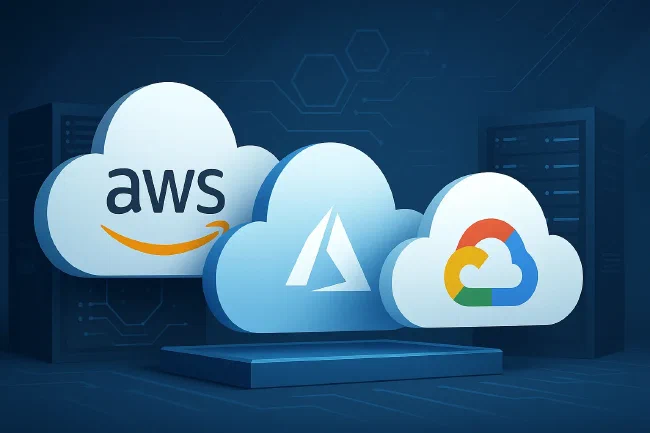
Choose a cloud provider by testing your workload, operating requirements and total cost. AWS, Microsoft Azure and Google Cloud all offer virtual machines, storage and networking; none is universally the cheapest, simplest or safest choice.
Reviewed 16 October 2026. Removed unsupported market-share figures, region counts and provider rankings. Rechecked the linked support and startup-credit terms. This is a decision guide, not a performance benchmark.
For the service-model definitions, start with IaaS, PaaS and SaaS explained.
Compare the Service You Actually Need
For virtual machines, compare Amazon EC2, Azure Virtual Machines and Google Compute Engine. A managed application platform or database shifts different work to the provider, so it is a separate option rather than a directly equivalent VM price.
For example, Cloud Run manages the serving infrastructure for supported workloads. You still configure the application, identities, dependencies and data access. That can reduce some operating work, but does not remove your responsibility for the application.
Before comparing products, record:
- The application, operating system, data stores and integrations that must work.
- Required latency, capacity, availability and recovery objectives.
- Data location, access, contractual and regulatory requirements.
- Who will deploy, monitor, patch and restore each part.
- What must remain portable, and what migration effort you are willing to accept.
AWS: Check the Required Services and Support
EC2, EBS, S3 and RDS are different services with different pricing, availability and operating responsibilities. Evaluate the combination your application needs rather than treating an AWS account as a complete managed hosting service.
For an EC2 deployment, the customer normally manages the guest operating system, application and relevant security configuration. Responsibilities change for more managed services. AWS shared responsibility model.
Support budget, checked 16 October 2026: Basic Support is included. Business Support+ charges the greater of $29 per account per month or a graduated percentage of applicable gross AWS charges: 9% up to $10,000, 7% from $10,000 to $80,000, 5% from $80,000 to $250,000 and 3% above that. Thus $1,000 in applicable charges yields $90, before any other applicable taxes or adjustments. AWS support pricing.
Existing Developer and Business Support customers should check their transition notice; AWS’s published transition ends on 1 January 2027. Support transition FAQ.
Compare On-Demand pricing first. Then evaluate eligible reservations, Savings Plans or interruptible Spot capacity separately. Check service, region, term and payment restrictions before assuming a discount reduces the bill you already pay. AWS Savings Plan types.
Azure: Check Integration and Licence Eligibility
Azure may fit a team already operating Microsoft identity, Windows or .NET systems. Verify the actual integration, support and skills you need; a Microsoft 365 subscription does not itself supply a configured Azure application or its operating budget.
Azure Hybrid Benefit can reduce eligible Windows Server licensing costs when you have qualifying licences and meet its conditions. It is not a discount every Windows workload automatically receives. Check the applicable product and licensing rules before putting it in an estimate. Windows VM Hybrid Benefit.
If your proposed design uses App Service or Azure SQL rather than VMs and a self-managed database, compare the resulting management responsibilities and capabilities as well as price. Do not assume the same instance size or product label represents equivalent performance across providers.
Google Cloud: Check Managed Services and Discount Scope
Compute Engine provides virtual machines; Cloud Run and BigQuery serve different application and analytics needs. A fit for one product does not establish that every workload should move to the same provider.
Google’s sustained use discounts apply automatically to eligible resources used for more than 25% of a billing month. Eligibility, incompatible discounts and the machine series matter. For a complete month’s eligible usage the maximum is 20% or 30%, depending on the resource; it is not a discount on the whole cloud bill. Sustained use discount rules.
Use a representative application test to compare latency and throughput. An assertion that one provider has the best network, Kubernetes service or model platform cannot substitute for that test.
Comparison Checklist
| Decision | Evidence to compare across all three providers |
|---|---|
| Workload fit | Required services, versions, quotas and regional availability |
| Performance | Measured results for equivalent business demand |
| Resilience | Failure domains, tested recovery and relevant service-specific SLAs |
| Security and data | Access controls, processing terms, data location and your own configuration |
| Operations | Team skills, monitoring, patching, on-call responsibility and support terms |
| Cost | Compute, storage, database, network, licences, support and operating effort |
| Exit | Data export, application changes, transfer costs and tested restoration elsewhere |
Regions, zones and edge locations are different things. Confirm that the exact services and resilience arrangement you need are available in your chosen location instead of comparing headline region counts.
Startup Credits Are Conditional
As checked on 16 October 2026:
- AWS Activate Portfolio advertises up to $200,000 for eligible provider-backed startups. Provider affiliation, funding stage, company age and prior credits affect eligibility.
- Microsoft for Startups offers progression up to $150,000, tied to verification, service adoption and sustained usage milestones.
- Google for Startups advertises up to $350,000 over two years, with programme and funding-stage eligibility conditions.
These are advertised ceilings, not guaranteed awards. Read the offer applicable to your company, including expiry, eligible charges and any required customer contribution. Compare the cost after credits end. Avoid building an unnecessary architecture merely to unlock a larger promotional allowance.
Make a Reproducible Price Comparison
Save dated estimates from the AWS, Azure and Google Cloud calculators. Use the same:
- Billing currency, tax treatment and serving locations.
- Required performance, operating hours, OS and CPU architecture.
- Availability arrangement, database capacity, storage performance and backup retention.
- Traffic paths, load balancers, logging, support and administration scope.
- Purchase assumptions, with credits and commitments shown separately.
An estimate is a budget to validate against usage. Identical vCPU and memory counts alone do not prove equivalent performance or reliability.
Choose for Your Situation
Shortlist providers whose services meet the requirements. Then test the uncertainty most likely to change the decision: an identity integration, a latency target, a recovery process or an important monthly charge.
A team’s existing platform experience is a useful input, not a reason to accept an unsuitable service. If you lack a strong preference, build a small representative pilot on a shortlisted provider and record what operating it takes. There is no evidence here that AWS should be everyone’s default or that Google Cloud always needs less optimization.
Questions for Founders and Technical Leads
Ask the proposed operator:
- Which requirements rule providers in or out?
- What have you operated on this platform, and what will need learning or support?
- Which assumptions have been tested on our workload?
- Who owns security, recovery, cost alerts and incident response?
- What would leaving involve?
Infrastructure as code and containers can help make deployment repeatable. They do not automatically translate provider-specific networks, IAM, databases or application behavior. A multi-cloud design adds another operational scope; justify it with a concrete requirement and test the exit path.
Manage Costs After Choosing
Give resources an owner, configure appropriate alerts, inspect usage and reconcile the bill. Alerts alone do not cap spending. Review retained capacity before buying commitments, and confirm recovery and retention needs before deleting apparently unused storage.
Our cloud cost optimization guide explains these checks with explicit calculations. The cloud migration checklist covers the move and rollback plan. For a scoped second opinion on the requirements and estimates, contact us.