Part of: AI agents vs workflows: let AI read, let code decide. This guide applies that idea to day-to-day IT operations.
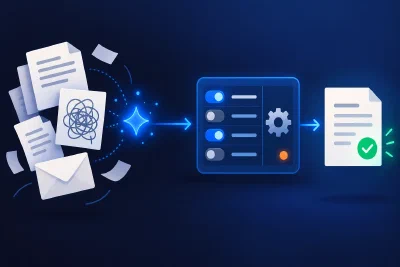
Ask an IT team where its week went and you will hear about the big outage. Look at the tickets instead, and most of the time goes into the same small loop, run by hand dozens of times: an alert, a ticket, an email to a provider, a wait, a check, a note, a close.
Google’s site reliability engineers have a name for this work. Toil is “manual, repetitive, automatable, tactical, devoid of enduring value”, and it “scales linearly as a service grows” (Site Reliability Engineering, chapter 5). Google aims to keep it below half of each engineer’s time. In Catchpoint’s 2025 survey of 301 reliability professionals, the median share of time spent on toil rose to 30%, up from 25% a year earlier.
This guide covers what to automate in IT operations, and what to keep with people. It uses the numbers from our own first system, including the ones that surprised us and the ones we have not measured yet.
TL;DR:
- Automate loops that are frequent, rule-based and cheap to undo. Keep judgement, rare events and irreversible actions with people.
- Start new actions in shadow mode, add approvals where the risk calls for it, and promote an action only when its approval history and outcomes show the human check is catching nothing.
- In our own system, 84% of approval emails over 60 days were for one routine close-out step, and none was rejected for a real server. We made that step automatic.
- The worst failures were silent: stuck work with zero errors, a retry that doubled a ticket, a keyword rule that misread a polite apology. Each one became a safeguard in code.
- Pick one loop, write down how your team runs it today, and run it in shadow mode before anything goes live.
Who this is for: IT managers and business owners whose teams spend their days on the same alerts, tickets and follow-ups.
A simple test for what to automate
Google’s test is a good starting point: “If a machine could accomplish the task just as well as a human, or the need for the task could be designed away, that task is toil.” Its chapter on monitoring adds a rule for alerts: “Every page response should require intelligence. If a page merely merits a robotic response, it shouldn’t be a page” (chapter 6).
In practice, we ask four questions about each loop:
- How often does it run? Weekly or more is a candidate. Twice a year is a checklist.
- Could someone write the rules down? If the answer depends on who is on shift, the rules need agreeing first.
- What does a wrong step cost? An extra email is cheap. Restarting the wrong server is not.
- Can the machine see enough to decide? If the input is messy free text, a language model can label it. If the evidence itself can be wrong, a person should look.
The answers usually sort the work into three groups:
| Group | Examples | Why |
|---|---|---|
| Automate | Opening tickets, first contact with a vendor, scheduled follow-ups, renewing certificates, restore tests, the “it’s back, thanks” note | Frequent, rule-based, cheap to undo |
| Ask first | Closing tickets in unusual cases, replies that contradict your own checks, anything new | The rules are not proven yet, or the action is harder to undo |
| Keep with a person | Restarts, decommissioning, firewall changes, anything safety-related | Irreversible, rare or based on evidence that can be wrong |
Google also gives the strongest reason to automate the first group: “any action performed by a human or humans hundreds of times won’t be performed the same way each time” (chapter 7). Software runs the same rule on the four-hundredth alert as on the first.
Where the time went in our own system
We first built this pattern for an infrastructure operator running hundreds of servers across dozens of hosting providers. Every outage used to mean finding the provider, opening a ticket, emailing, chasing replies and confirming recovery by hand. Detection and the first email were already scripted. Everything after that was a person checking a shared mailbox, checking the server, writing a note, closing the ticket and thanking the provider.
The project started in March 2026 as an AI assistant run on a loop. It ran for 20 days in shadow mode before it was allowed to act, and went live in mid-April. By May the AI’s job had shrunk to labelling free-text replies and notices, and plain rules decided what to do next. It now runs that loop around the clock, with more than 7,000 automated tests behind it.
The approval data showed where approvals only added delay
At first, the follow-ups and recovery messages to providers needed a person to approve them by replying to an email. That was the right place to start, and it gave us data. Over 60 days in the summer of 2026, according to the system’s own audit records:
- The system sent 207 approval requests.
- 84% were for the same recovery close-out step: the “your server is back, no further action needed” note and the matching ticket close.
- None of those was rejected for a real server.
- 25 of the recovery notes were never sent, because nobody got round to approving them.
An earlier 30-day sample showed the same pattern. People approved the recovery note 23 times out of 23, after a typical wait of about three hours. Of 47 requests to close a ticket, not one was approved. Most were overtaken by events or simply expired.
Zero rejections on their own could also mean nobody looked closely. What settled it is that the step is low risk by design: it only runs once the server has been healthy and stable for hours, which code can check. So the approval was mostly creating inbox noise and delaying the close-out. In September 2026 we made the routine close-out automatic, and the cases that do get rejected, such as decommissioning, still go to a person. We are still measuring the effect on hours saved, so we will not quote a figure yet.
The data also told us what not to build
We had planned a diagnostic stage for service alerts, the groundwork for automatic repairs. Before building it, we looked at a month of data. Of 131 service alerts, 125 recovered without any action, six needed an action, and none needed a person. Building repair automation for that would have added risk for almost no gain, so we shelved it.
Count before you automate. The loop that feels busiest is not always the one that costs the most time.
Autonomy is earned, one action at a time
New actions move through up to three stages, here and in every operations autopilot we build:
- Shadow. The software records what it would do. Nothing is sent.
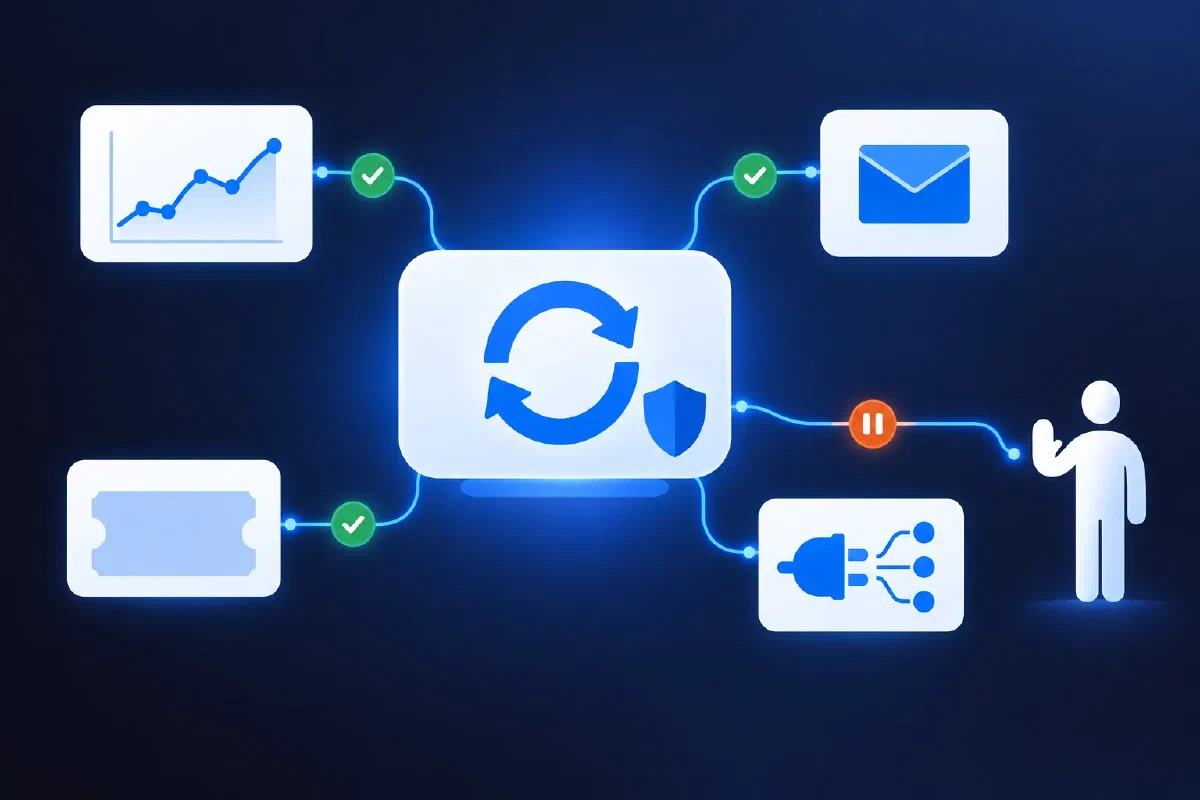
- Ask first, where the risk calls for it. It acts only after a one-line approval.
- Automatic. It acts on its own and reports in a daily digest.
An action moves up only when its approval history and outcomes show the human check is catching nothing. It moves back down with one configuration change.
Some actions never move. Restarts sit on a never-automate list that the software checks every time it starts. We also turned down automatic firewall repair, because the probes that detect a firewall problem can give false results. A machine acting confidently on a false reading does more damage than a slow human.
Hard limits are enforced as well: how many messages a vendor can receive per day, how many follow-ups an incident can get, how many actions one cycle may take. Google’s SRE book records why. A decommissioning tool worked out, correctly, that no machines were left to wipe. But “the empty set was used as a special value, interpreted to mean ’everything’”. Within minutes it wiped the disks of every machine in Google’s content delivery network (chapter 7). Google’s fix included sanity checks and rate limiting. Limits like these turn that kind of bug into a small incident.
What went wrong, and what we changed to keep it safe
We hit each of these in production. Each one led to a safeguard that we now build into every autopilot.
Shadow mode looked clean while most actions were blocked. Over two weeks in shadow mode, a counter that never reset was blocking 95% of the actions the system would have taken, and a naming mismatch sent every action to a person for approval. The shadow log showed none of it. Both problems surfaced on the day it went live, because shadow mode never reaches the approval step. Safeguard: compare shadow output with what people actually did, and count what was blocked as well as what went wrong.
Work stopped without a single error. Seven tickets sat for up to 23 days. The health checks showed zero failures across 2,972 runs, because nothing was failing. The work was simply never scheduled. Safeguard: watch for things that should have happened and did not. Silence can look exactly like success.
A network retry opened the same ticket twice. A request timed out, the HTTP library retried it, and the ticket system created both. Neither could then be closed cleanly. Amazon’s engineers describe the fix: an operation should be safe to be “retransmitted or retried with no additional side effects” (Amazon Builders’ Library). Safeguard: every action carries a unique key, and an action that may already have happened is checked before it is retried.
A keyword rule misread a polite apology. A provider wrote “Sorry for the inconvenience”, and a keyword match treated it as a promised fix time. The system held back follow-ups for 25 hours without telling anyone. This is exactly the kind of reading a language model does well. Safeguard: the model labels free text from a fixed list, code checks the label against what it can verify, anything invalid or contradictory goes to a person, and code decides what happens next. The main guide explains the reasoning behind that split.
A “sent” marker lived in memory. The note that an alert had already gone out was kept in memory instead of the database. The system lost track of it and sent 38 identical internal emails about a single event. Safeguard: record the intent in the database before acting and the result afterwards, never only in memory, and check anything uncertain before retrying.
Escalated incidents were forgotten. Once an incident was handed to a person, the system went quiet, and some sat untouched for over two weeks. We added a reminder that starts after three days and then slows to weekly. A reminder that repeats at the same rate forever becomes noise people filter out, which is the same failure in a different form. Safeguard: escalation is not the end of the loop.
Our guide to why backups fail makes the same point about a different loop: a job that reports success is not proof that it worked.
Start with one loop
- List the loops your team runs by hand every week. Vendor outages, certificate renewals, backup checks, disk space and stuck orders are common. Expiring certificates and missing monitoring appear in our list of website problems developers rarely mention.
- Count them. How often each one runs, how long it takes, and how often a person changes the outcome.
- Pick one that is frequent, rule-based and cheap to undo.
- Write it down with the people who run it today: triggers, checks, actions, exceptions.
- Run it in shadow mode next to your team, and fix the gaps.
- Go live with approvals, then promote actions one at a time when the data supports it.
If you are not sure what slow response costs you, the downtime calculator gives a quick estimate. The IT maturity assessment shows how your monitoring, automation and documentation compare. And if an outside provider does your monitoring today, our guide to evaluating server management companies covers what “24/7 monitoring” usually means in practice.
Next step
Which loop does your team run by hand every week? Tell us about it, and we will say whether an autopilot makes sense, what it could handle on day one and what should stay with a person.
Automate an operational loop. Free 30-minute call, no sales pitch, honest assessment.
Part of: AI agents vs workflows: let AI read, let code decide, our guide to where AI belongs in a business process.
Sources and further reading
- Google SRE book, chapter 5: Eliminating Toil - the definition of toil and the 50% goal
- Google SRE book, chapter 6: Monitoring Distributed Systems - what deserves a page
- Google SRE book, chapter 7: The Evolution of Automation at Google - consistency, and the Diskerase incident
- Catchpoint: The SRE Report 2025 - survey of 301 professionals on toil (13 January 2025)
- Amazon Builders’ Library: Making retries safe with idempotent APIs - why retries need unique request keys